Category Archives: Radio

RADAR SENSORS

#130 A Few DIY Radar Sensors

Testing the current (multimeter was used for accurate uA measurments)

One sensor that’s been incredibly useful to me is the radar sensor. Over the past few years I’ve made quite a few different versions with great results and many improvements especially in power consumption. One of the most useful features is the ability to place wood or plastic over the entire sensor effectively covering the entire unit from sight. This allows the device to be placed covertly in very effective positions. The biggest issue is ensuring the alarm signal can be transmitted from these locations and that’s where LoRa technology comes into play.

My first wireless Radar prototype used a 12V 23A battery and used a lot of power

RF 2.4GHZ and 433MHz,Wifi and LoRa are some of the most well known and common low bandwidth digital wireless communication methods, of course we could use a classic analogue radio to send digital square wave signals like the very early alarm systems but that tends to make the device a power hog and increases the size of the device however more power can also have great pros like increasing the transmission and, having less interference affecting the signal and even some level of immunity to jammers.

My second radar sensor rechargeable uses less current and made use of deep sleep but still not good enough for me…

However I always focus on low power and low current applications I want my sensors to do the job in remote areas with solar power or hefty batteries running them for years without breaking the bank.

During my journey I started with basic breadboard projects moved to more permanent perfboard and strip board projects and eventually started creating fully fledged PCBs for these devices. I encountered various problems like matching antennas to increase the transmission effectiveness, waterproofing and powering the devices with solar and batteries, the effect the blazing hot African sun has on enclosures outside for years, consuming the least amount of current and running the microcontrollers in the most effective configuration suited to their purpose and I can go on.. there’s always something new to learn and I bet there will be even more advancements in Radar technology assuming solar flares or nuclear war or maybe even aliens don’t destroy our electronic and electrical technologies. we have our ancestors to thank for creating and sharing this power with us over the many many decades and hopefully we will eventually evolve to colonize the stars… well ahem I guess that’s a bit ironic coming from a South African but ideas are stronger than any country government or religion I can only hope we keep moving forward.

Front view of my 3rd radar sensor uses 100uA when in deep sleep mode and about 600uA when running and around 10mA when TXing for about 1.2s. Uses HC7333 regulator and a rechargeable LiPo battery. SYN1115 used to TX ASK alerts. Rd-04 Module Ai-Thinker X-band radar is used.
Back view

DUAL BAND ANTENNA FIX

#127 Fixing a Faulty Handheld Antenna

A while ago I purchased a few hand held radio antennas from a reputable source. Unfortunately one of them had a great SWR for 2m but a terrible SWR for 70cm. So I began investigating this and started to take apart the antenna to find out more. Just as a side note: I would not recommend this for beginners or businesses (if you have a faulty product immediately contact the seller and get a replacement or refund)

So during my autopsy of the antenna I was able to determine a few things. Firstly the plastic connectors in the middle of the antenna is supposed to have a loaded coil but there was just a crimped thinner antenna wire. Second on opening up the base of the antenna I was surprised to find out that they had a metal enclosing case which was nice.

Then looking at the SMA connection to the antenna I was pleased to see a base tunning coil and capacitor, this is a good sign. potentially meaning the antenna is a “GOOD COPY” of whatever the original antenna was. the antenna has zero markings but we can take a guess that its a good copy of the Diamond RH951

Finally I found the culprit.. the capacitor on the coil seemed to be destroyed.. after de-soldering it and testing it turned out to be a faulty part. So in order to fix the antenna I soldered another cap with a close enough value.. (13pf instead of 12pf) and sure enough after putting everything back together a gluing it the antenna worked perfectly but did have a slight frequency shift when Compared to the others I had purchased.

still this is a mission success the antenna works perfectly in both bands and I’ve been using it for over a year with both bands and no issues.

ALLSTAR NODE

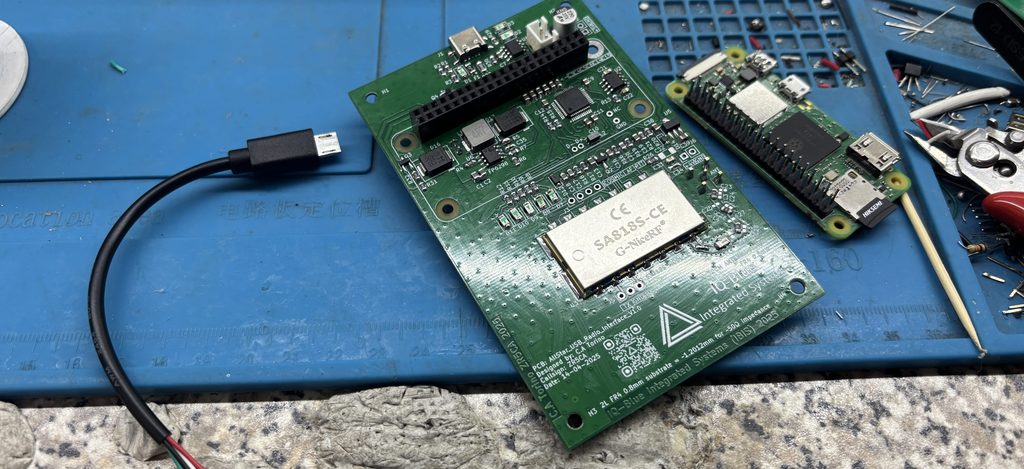
#126 Creating An Allstar Node

Display prototype on an actual Bread Board 🙂

In my previous article I was focused on the RTCM and the VOTER PCB which are used with repeaters. however I found out you could make a node instead for personal use. So basically a node is a radio connected through a sound card to a raspberry pi acting as an Allstar server.

You setup and connect this to the internet and you have a home made personal gateway to the Allstar servers. now you can listen or chat with anyone on the Allstar network

With that being said I was very interested in making my own version but I wanted it to use LiPo battery power for portability and a solar panel as power intake. I wanted a complete stand alone unit that could be setup once and placed somewhere and almost forgotten just remembered for maintenance and check ups.

I also wanted clean audio which could be a whole article in itself but for this write up I’ll be brief.

Testing out different filters and super capacitors
Eventually settled on a case with very short wires

I got the initial setup working using a UHF only Analog radio connected to a CM108 sound card that is plugged into a raspberry pi 2w with an OTG adapter. (it’s very important to keep all the wires as short as possible to prevent them from becoming antennas!!)
This was connected to a 5V step up converter and charger in 1 module. Now the radio needs max around 4.2V so I had to add an additional stepdown converter to accommodate this.

CM108 FOB

Everyting worked well and the system was portable but there was a very annoying whine. with some filtering I was able to reduce this significantly and the setup was almost done.

One annoying issue was that when the 5vstep up converter switched from main to battery power there was a very brief short delay where power to the raspberry pi could be lost casing a brownout and reboot of the pi. The solution was to add super capacitors in parallel with the supply to keep the volts flowing during this dip in power.

Also using a linear voltage regulator with a high ripple rejection circuit helped reduce the audio whine and noise

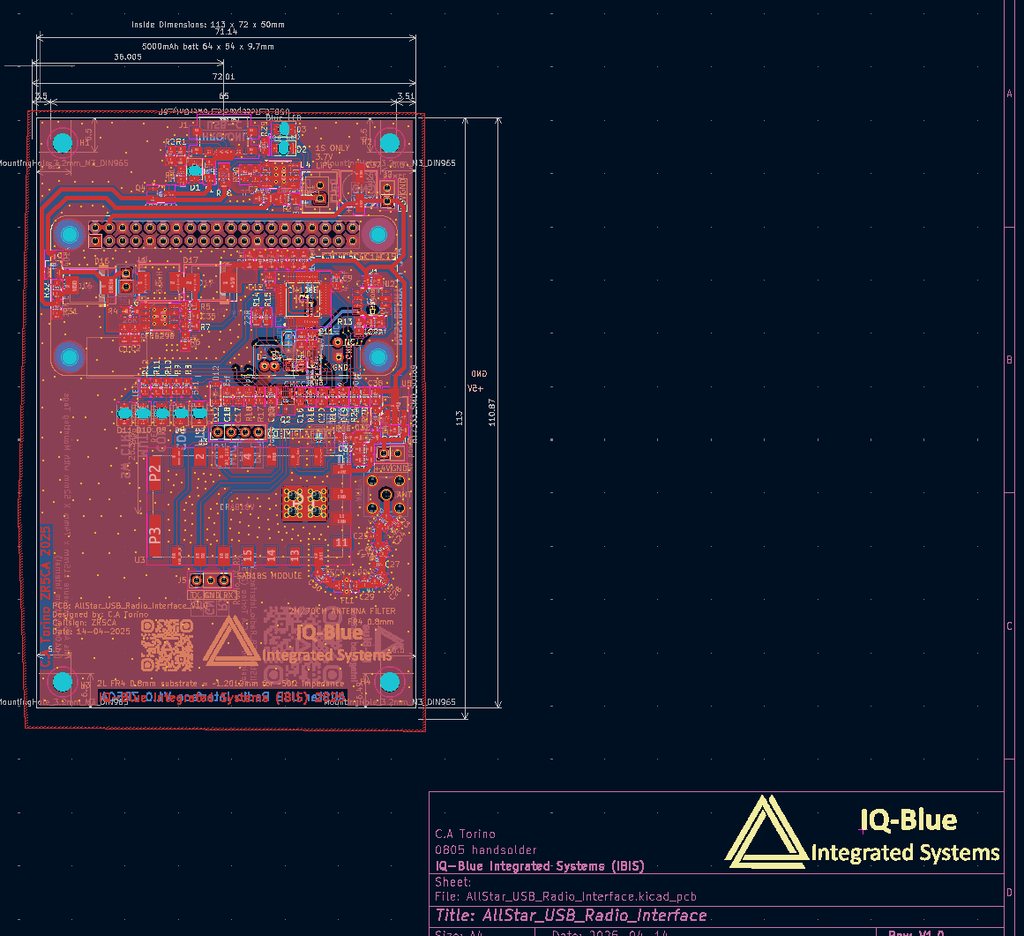
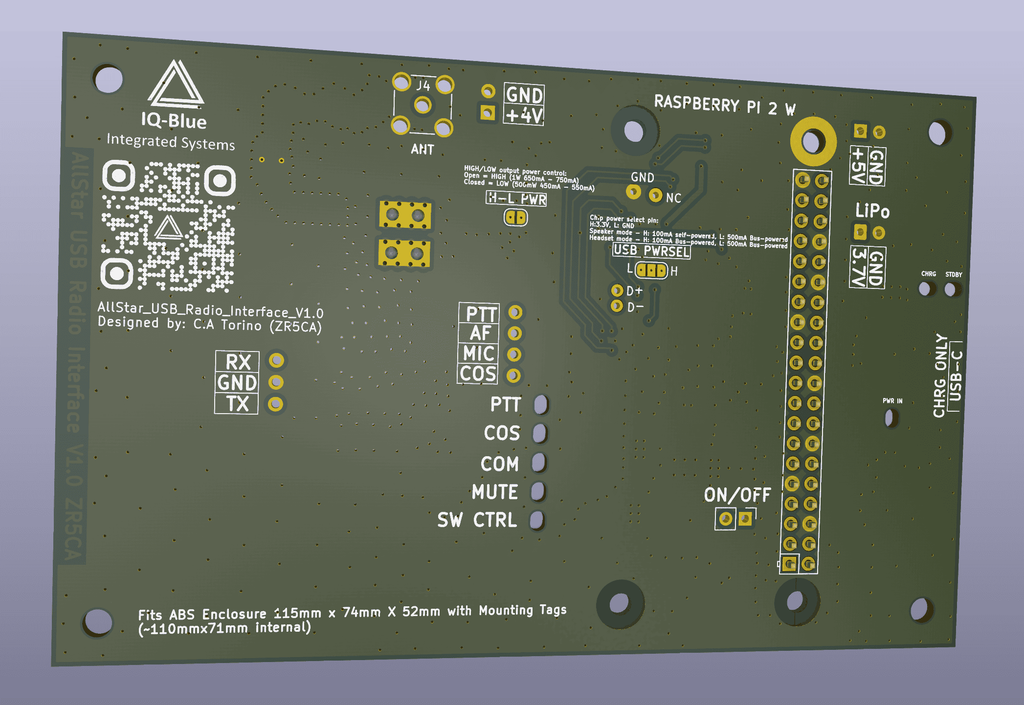
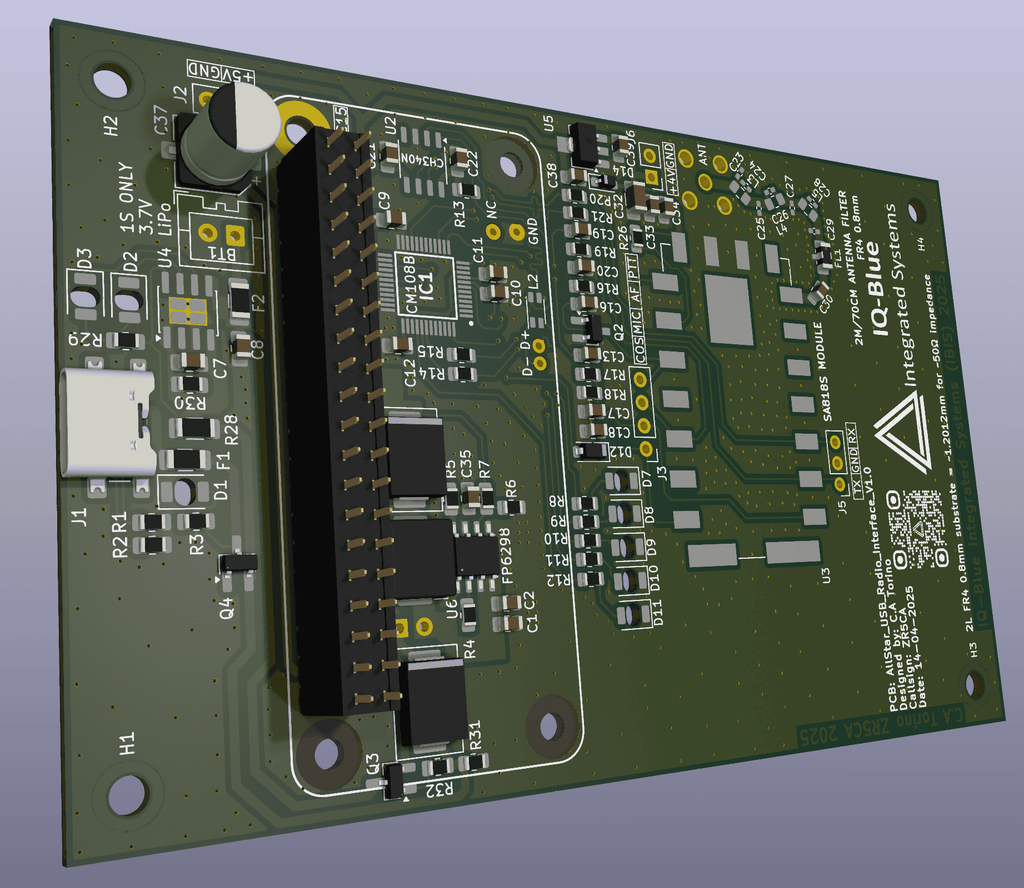
Over all this was a fun success of a project I will be creating a permanent case for my DIY version and I will be creating my own custom Nodes with a professional PCB for sale in future!

COS wires location on the radio
RX, PTT and GND solder areas

ALLSTAR VOTER

#125 Creating a DIY VOTER

Unpopulated VOTER PCB from the factory

VOTER (Voice Observing Time Extension for Radio) 

For a while now I have been involved with some troubleshooting at my radio clubs repeater site closest to me.
we have had a few issues where our equipment gets damaged from lightning water and rats.

We’ve tried to mitigate these problems however the reality is that it more of a manage the symptoms situation rather than solve the problem situation.

With this in mind we have had some damaged RTCM devices, the RTCM (radio thin client module)
is connected to the internet and to the repeater. It has an IP address and forwards the voice data to other sites or nodes that have the Allstar system setup. It’s basically like a small VOIP system that can adjust squelch and do simulcasting but the repeater site can choose what settings to enable or disable.

In our case its just connecting the Voice data to the internet so that club members can chat with other repeater/node users over a greater distance through the internet.

E.G: talking to someone in Durban is not possible using VHF at the altitude where I am situated, due to the terrain, large mountains and a hefty over 100Km+ distance away VHF will have a really hard time. Also with all the solar whether these days… I would expect diminishing results.

But… with an RTCM connected to a repeater or a Node, I can now communicate over that distance using Analog VHF radio to the RTCM over the internet and then through the repeater or node on the other side in this case in Durban.

Checking and adding components to the PCB

So now the big issue I had was that RTCM devices will be just under 10K south African ZAR from America for 1 with shipping and all the tax applied it’s very expensive and I wish money was no object but the truth is our club is not super financially inclined due to many reasons a lot of them out of our control.

This prompted me to investigate on an alternative and I found a few but I chose the original 2011 VOTER PCB which allows us to do the same thing basically just on the prototype board.

Of course this rises some concerns like:

  • THT components used
  • Parts are all PDIP and most have to be substituted
  • No case provided
  • A larger size
Back of the PCB while I was populating it

But… in my case weighing up the pros and cons there’s no major issue using this VOTER version.

So I got a few professionally made, read the datasheets for all the IC’s and purchased the available parts.
I also substituted the parts no longer available and integrated them with some small modifications.
(I will create my own PCB based on this in the future for better availability and usability)

Overall It took me around 3 month just to read all the datasheet and to get familiar with they systems bootloader and firmware of the VOTER PCB not to mention learn about the Allstar system as I had not really been educated on it. Though it was worth it and the research paid off in the end.

I was able to learn fast and I can say that I was happy with this project and the VOTER boards turned out great!!

Front of PCB while I was populating it.

MAKING A DIY PIR SENSOR

#121 Making a DIY PIR sensor on protoboard

Front of PCB on proto board

A few years ago I wanted to use some type of sensor for security purposes in my workshop.
I just needed something to sense movement and send a radio signal to my Roboguard device.
An actual Roboguard beam was too expensive, too bulky and large and was not rechargeable… not to mention a bit overkill for my application.

So I decided to look for a low power and small sized PIR sensor. Eventually I was able to find an affordable and small PIR sensor that can operate at 3.3V. I found the MH-SR602 PIR sensor which offers an adjustable delay time with a detection distance of 0 – 3.5 Metres. it has a built in regulator with a range of 3.3 – 15VDC but adds a bit of extra current draw… since I was already using 3.3V for my IC and RF circuits I was able to de-solder the included regulator to save a bit of current. This would help me greatly especially since I was going to use deep sleep.

PCB inside the box I designed it for.
Lid closed only the PIR sensor is sticking out (Radar does not have this problem)

Now the main MCU is the ATTiny212 and the RF module used is the WL102-341… not sure on the authenticity of the module but it works range is good and the current draw is up to spec + the EN pin does disable the unnecessary current draw when pulled low. The LDO regulator I used is the classic HT7333-A.

After soldering everything and checking for shorts I was able to program the MCU and then power up the device with an recycled 550mAh vape battery. First thing I noticed the device would constantly trigger the PIR. Eventually after a long time of troubleshooting I replaced one of the ceramic capacitors used to stabilize the output of the HT7333-A and now everything worked… Now when looking at the capacitor I didn’t understand exactly why it was not working, there was no short only a really high resistance and the capacity was a bit higher than the specified uf.

Before hand I made sure the PCB would fit into a standard rectangular project box. I just needed to drill a hole for the PIR sensor to stick out. After drilling a hole for the micro USB charging port the project was complete and working.

While testing I was able to achieve a very low current draw in deep sleep mode. I did some basic calculations and the MCU should last more then a year without needing a charge. Later after leaving the device in my workshop I was able to confirm this with the device lasting over a year and a half with mild triggering whenever I was working in the workshop. making use of the ATtiny PIT for long sleep timing and interrupts for waking up the device after some code refactoring I was able to make things super efficient. I programmed everything in C. ASMM is a bit to much for low level stuff in my opinion though I would like to make time to learn it one day. Still I was able to create a program of 956 bytes using ram of 18 bytes. So under 1k was nice since the smallest ATtiny size is 2k so I’ve still got plenty of space.

Current when the MCU is in sleep mode (the PIR is always running) 121.9uA roundabouts
772.2uA of current when the MCU is running but RF is not TX’ing
13.1mA during TX

One thing I can say for sure is that this project really activated a habit in me to try make everything as small and as efficient as possible whenever I program 8-bit microcontrollers for my personal projects. I must say I was also able to save some money when buying IC’s by improving my code and what can I say it feels very good once a project is completed and as small and efficient as I could make it.

With that being said sometimes when using a microcontroller like the ESP8266 or ESP32 the resource abundance feels crazy but once I start populating all that space with HTML and bitmaps + other media I quickly realized that even that space can get used up very fast.

C.A Torino

Back of the protoboard